Why Do Security Cameras Look So Bad? Common Causes and Solutions
Blurry footage is frustrating. Why are security cameras so low quality? Usually it comes down to heavy compression, weak lighting, cheap sensors and lenses, and poor placement.
Most security cameras watch a wide area from a fixed spot, so faces end up small and grainy. The good news is that most of these problems are fixable with better hardware, smarter placement, a stronger network, and proper Home Security System Installation.
Compression and Storage: The Hidden Culprit
Most cameras compress video to save storage space, and that costs detail. Compression smears motion-heavy scenes, causes pixelation at night, and can trigger frame skipping when someone moves fast.
Clips degrade again once they are cropped, screen-recorded, or reposted. If you have ever asked why are cctv cameras bad quality, compression is often the answer.
For long-term storage, especially with Commercial Security Camera Installation, pair high-definition cameras with a solid storage plan so compression does not erase the details you need.
Poor Lighting Conditions = Poor Image Quality
Security cameras run around the clock, so they face dim light, glare, and shadows every day. Low light adds image noise and motion blur, while harsh light washes out highlights.
Night vision helps, but only with strong infrared LEDs and sensible exposure settings. A badly aimed spotlight can wash out a face as easily as darkness can hide it.
Add even lighting near entry points and choose Security Cameras in Corpus Christi, TX built for low light.
Inexpensive Cameras, Budget Systems, and Trade-offs
Many home security cameras are built to be affordable, not powerful. Cheaper models use weaker sensors, basic software, and flawed motion detection.
Putting phone-level hardware in every unit would push costs up fast, especially across a four, eight, or twelve camera setup. Storage, bandwidth, and battery demands add to the bill.
That trade-off explains why are security cameras low quality in so many budget kits. Investing in proven security cameras systems usually brings sharper, more reliable footage.
Security Camera Placement and Angles Matter Too
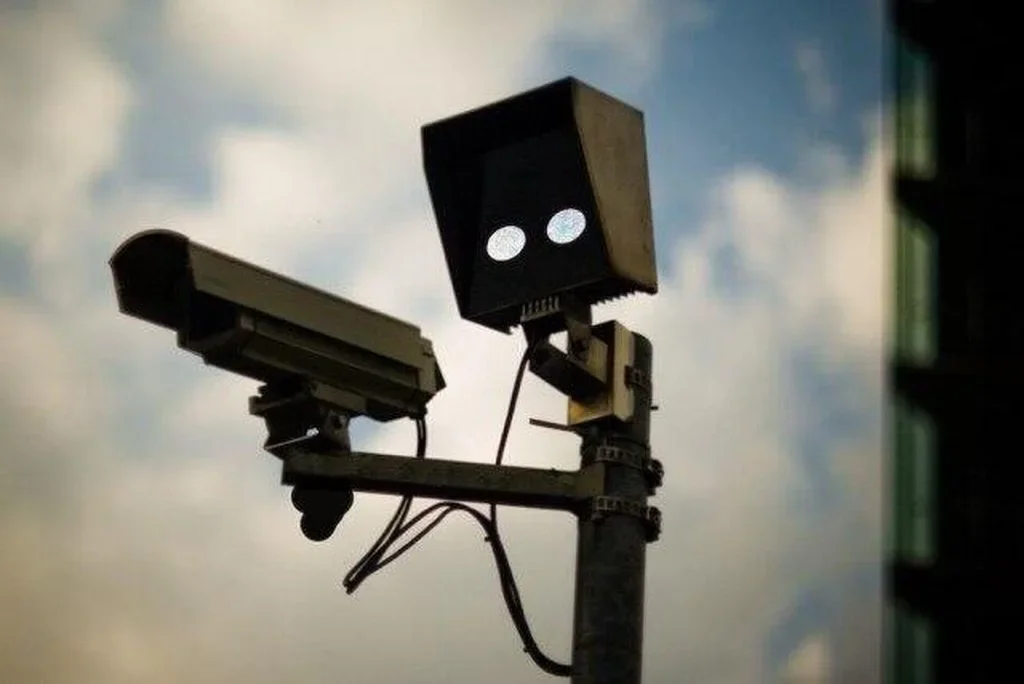
Sometimes the camera is fine and the position is the problem. Mount it too high, too far away, or facing direct sunlight, and detail disappears.
A wide field of view covers more ground but gives each face fewer pixels. For identification, place cameras at choke points like the porch, gate, or driveway entrance, at face level.
Professional security cameras installation helps here, because angle, distance, and lighting get planned together instead of guessed.
How Camera Resolution Impacts Security Footage
Resolution is the number of pixels in each frame. Cameras at 480p or 720p struggle to show faces or license plates, while 1080p and 4K capture far more detail.
Smaller sensors also limit clarity, even when the spec sheet looks impressive. Higher resolution creates larger files too, which ties back to storage limits.
Check what your camera is actually recording before assuming it needs replacing.
Analog Cameras vs. IP Cameras
Analog Cameras
Analog cameras, the traditional CCTV type, remain common because they are cheap and simple to install. They usually top out at 480p or 720p, handle low light poorly, and offer limited digital zoom.
IP Cameras
IP cameras reach 1080p or even 4K, offer better lens and exposure control, and connect over Wi-Fi or a computer network. Moving from analog to IP is often the fastest way to improve footage.
The Role of Camera Lens and Optics To Video or Image Quality
Even a high-resolution sensor cannot rescue a poor lens. Budget cameras often use inexpensive plastic optics that cause distortion, color fringing, and soft focus toward the edges.
Better glass improves sharpness, light capture, and zoom, which directly affects how usable your footage is.
When comparing commercial security systems or home kits, judge lens quality alongside megapixels.
Bandwidth Limits and Camera Systems
Cameras that stream over Wi-Fi depend on a fast, stable connection. When bandwidth drops, the system compresses video harder, lowers the frame rate, and produces choppy or soft footage.
Several cameras sending video at once makes it worse. For wireless security cameras, keep them within strong signal range and consider a smart router.
A network that handles every camera at once keeps larger security cameras systems consistent.
Solutions: How to Make Security Cameras Deliver Better Results
Fixing blurry footage rarely needs a full rebuild. Start here:
Upgrade analog units to IP cameras.
Add lighting or choose infrared models.
Pick trusted brands known for lens quality and software support.
Adjust placement to cut glare and blind spots.
Use fast Wi-Fi and enough storage to avoid heavy compression.
For larger properties, professional security cameras installation and commercial security systems planning can tie these fixes together.
Final Thought
Blurry footage is rarely your fault. It usually comes from outdated technology, weak optics, heavy compression, or the wrong setup.
Understanding why are security cameras so low quality puts you back in control. Upgrade where it counts, place cameras with purpose, and invest in solid hardware.
With a bit of planning, your security cameras can deliver the clear, usable footage you expected from the start.