Network Cabling Installation for Corpus Christi Businesses: A Complete Guide
Slow file transfers, dropped video calls, and a point-of-sale system that freezes during the lunch rush usually trace back to the same place: the cables behind your walls. Professional network cabling installation gives your business a fast, organized, and reliable foundation for every computer, phone, camera, and WiFi access point you depend on.
Most “how to install network cable” guides are written for a single home run. A business is different. You have more users, more devices, fire codes to meet, and, here on the Gulf Coast, heat, humidity, and storm season to plan around. This guide explains how commercial cabling works, what the installation process looks like, what drives cost, and how to choose the right installer in Corpus Christi.
What Is Network Cabling Installation?
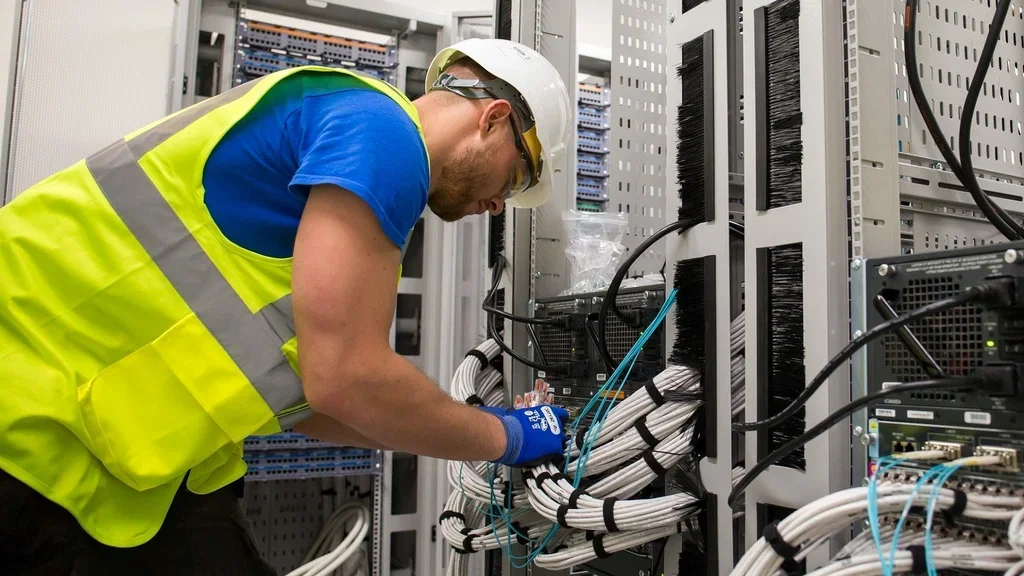
Network cabling installation is the process of planning, running, terminating, labeling, and testing the copper and fiber cables that connect your devices to your network. Done right, it is a permanent part of your building, much like plumbing or electrical. Done wrong, it becomes a tangle of mystery cables that slows everyone down.
For businesses, the professional approach to network cabling installation is called structured cabling. Instead of running a new cable every time someone needs a connection, a structured system uses a standardized layout that is easy to manage, troubleshoot, and expand.
Structured Cabling Installation vs. Point-to-Point Wiring
Point-to-point wiring connects one device directly to another. It works for a two-desk office, but it gets messy fast as you grow. Structured cabling installation organizes everything into clear zones:
Entrance facility: where your internet provider’s line enters the building.
Equipment or telecom room: home to your modem, firewall, switches, and patch panels.
Backbone cabling: connects telecom rooms, floors, or buildings, often with fiber.
Horizontal cabling: runs from the patch panel to each wall jack, ceiling access point, or camera.
Work area: the jacks and patch cords at each desk or device.
Because every cable is labeled and documented, adding a workstation or tracing a problem takes minutes instead of hours.
Why Professional Cabling Matters for Your Business
Your network is only as reliable as its weakest cable. Here is what professional network cabling installation gives you:
Faster, more consistent speeds. Properly terminated and tested cable delivers the bandwidth it is rated for.
Less downtime. Fewer loose connections, crushed cables, and interference problems.
Room to grow. Extra capacity is planned in, so new hires or new equipment do not require rewiring.
Code compliance. Correct cable ratings for plenum spaces and fire barriers help you pass inspections.
A cleaner, safer workspace. No cables across floors or stuffed above ceiling tiles.
Easier troubleshooting. Labeled ports and documented runs make IT support quicker and cheaper.
A wired connection also takes pressure off your WiFi. Desktops, printers, phones, and cameras on cable leave more wireless bandwidth for laptops and mobile devices.
Choosing the Right Cable: Cat6, Cat6a, or Fiber
The cable you choose sets the speed limit for your network for the next 10 to 15 years. Here is a quick comparison of the most common options for commercial network cabling installation:
Cable Type
Max Speed
Max Distance at That Speed
Best For
Cat5e
1 Gbps
100 meters (328 ft)
Basic or legacy networks; rarely chosen for new builds
Cat6
1 Gbps (10 Gbps on short runs, about 55 m)
100 meters at 1 Gbps
Most offices, retail, and restaurants
Cat6a
10 Gbps
100 meters (328 ft)
Growing businesses, WiFi 6/6E/7 access points, high-power PoE
Fiber optic
10 Gbps to 100 Gbps and beyond
Hundreds of meters to miles
Backbones, building-to-building links, long runs
For most Corpus Christi businesses, Cat6 is a solid, cost-effective standard. If you are building out a new space or plan to run modern WiFi access points and PoE cameras, Cat6a is worth the extra cost because it supports 10 Gbps across the full 100-meter distance. Fiber is the go-to choice for connecting separate buildings, such as an office and a warehouse.
Plenum vs. Riser vs. Outdoor-Rated Cable
Cable jackets matter just as much as category ratings:
Plenum (CMP): required in air-handling spaces, such as many drop-ceiling return plenums. It produces less smoke if it burns.
Riser (CMR): used for vertical runs between floors.
Outdoor or direct-burial: UV- and moisture-resistant cable for exterior runs, conduit, and underground paths.
Using the wrong jacket can fail inspection and create a fire safety risk. A qualified network cabling installation team will match the cable to your building and local code.
Internet Cable Installation and Your Service Provider
Many owners assume their internet provider handles all of the wiring. In most cases, the provider brings service only to the “demarcation point,” usually a box or panel where their line enters the building. Everything past that point is your responsibility.
Internet cable installation from the demarc to your telecom room, and from there to every desk and device, is where a cabling contractor comes in. Scheduling your internet service and your network cabling installation together means the two line up, so you are not paying for service you cannot use yet.
The Network Cabling Installation Process, Step by Step
A professional network cabling installation follows a clear process. Here is what you can expect when you work with an experienced team:
Site survey. A technician walks your space, notes ceiling types, wall construction, existing cable, and the best location for your network equipment.
Design and quote. You get a plan that shows every drop (each cable run to a jack or device), the cable type, rack layout, and a written estimate.
Pathways and prep. Installers set up J-hooks, cable trays, conduit, or raceway so cables are supported and protected, not draped over ceiling tiles.
Cable runs. Each cable is pulled carefully, kept away from electrical lines and fluorescent fixtures, and kept within its bend radius and the 100-meter distance limit.
Termination. Cables are punched down to patch panels and wall jacks following the T568A or T568B wiring standard, used consistently across the site.
Labeling. Every jack and patch panel port gets a matching label so anyone can trace a connection.
Testing and certification. Each run is tested for continuity, length, and performance so you know it meets its rated speed.
Documentation and cleanup. You receive test results and a map of your cabling, and the work area is left clean.
Common DIY Cabling Mistakes We Fix
Do-it-yourself and low-bid network cabling installation often causes the problems business owners call us about later:
Running network cable right alongside electrical wiring, which causes interference.
Cinching zip ties too tight or bending cable sharply, which hurts performance.
Exceeding the 100-meter limit on long runs.
Mixing T568A and T568B terminations on the same run.
Skipping testing, so a bad connection only shows up after the walls are closed.
Using indoor cable outside, where heat and moisture break it down.
How Much Does Network Cabling Installation Cost?
The cost of network cabling installation depends on the size and condition of your space more than anything else. Most commercial installers price by the “drop,” meaning one cable from the patch panel to one jack or device, plus equipment and labor for the telecom room.
Cost Factor
How It Affects Your Price
Number of drops
More drops means more cable and labor, but often a lower cost per drop
Cable type
Cat6a and fiber cost more than Cat6 in materials and labor
Building type
Open ceilings and new construction are faster; finished walls, concrete, and older buildings take longer
Run length and access
Long runs, high ceilings, and tight attics add time
Racks and hardware
Patch panels, racks, switches, and cable management add to the total
Code requirements
Plenum cable, fire-stopping, and conduit increase material costs
After-hours work
Nights or weekends to avoid disrupting staff may cost more
[Pricing placeholder: add Red Alarm’s typical per-drop or project price range here if you want to publish one.] The most accurate way to budget is an on-site estimate, because two offices of the same square footage can have very different cable paths.
Network Cabling for Security, Access Control, and PoE Devices
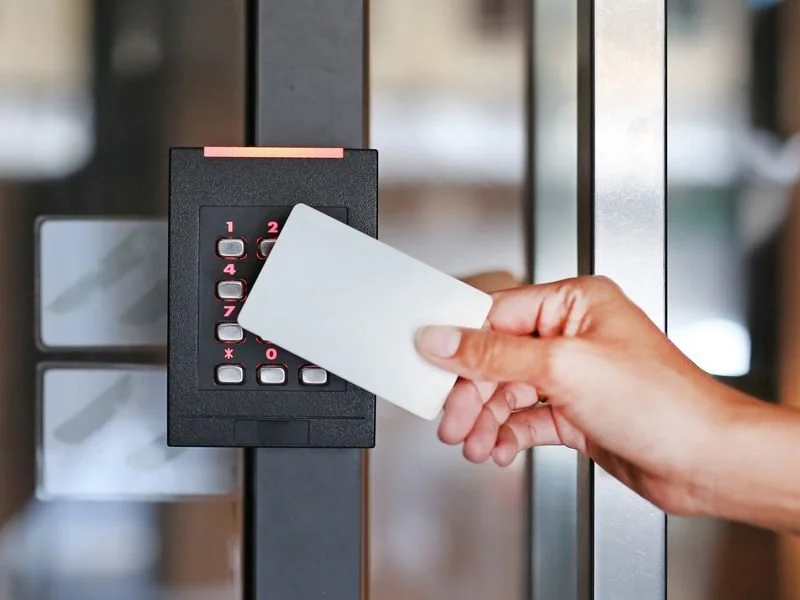
Today’s network carries far more than computers. Power over Ethernet (PoE) lets one cable supply both data and power to devices such as:
Security cameras and video recorders
Access control readers and door controllers
WiFi access points
VoIP desk phones
Digital signage and smart building sensors
This is where planning cabling, networking, and security together pays off. When the same team handles your network cabling installation and your camera and access control systems, cable runs are planned once, PoE budgets are sized correctly, and everything works together from day one. Red Alarm installs both, so you get one point of contact instead of two contractors pointing at each other.
Planning Network Cabling in Corpus Christi’s Coastal Climate
National guides rarely mention the conditions South Texas businesses deal with every day. When planning network cabling installation in Corpus Christi, TX, keep these factors in mind:
Heat in attics and ceilings. Summer temperatures above ceilings can be extreme. Quality cable and proper support help prevent sagging and performance loss.
Humidity and salt air. Exterior runs and outdoor cameras need weather-rated cable, sealed connectors, and corrosion-resistant hardware, especially near the bay and the islands.
Storm season. Surge protection, a battery backup (UPS) for your network rack, and well-documented cabling make recovery faster after a storm or outage.
Multiple buildings. For shops, warehouses, and marinas with separate structures, fiber between buildings avoids distance limits and is not affected by electrical interference.
How to Choose a Network Cabling Contractor in Texas
Not every network cabling installation company works to the same standard. Before you hire, ask:
Do you follow TIA cabling standards and test every run?
Will I get test results, labeling, and documentation when the job is done?
What cable brands and categories do you recommend, and why?
Are you licensed and insured for commercial work in Texas?
Can you also handle cameras, access control, and WiFi, or will I need another company?
What warranty do you offer on labor and materials?
If you are searching for network cabling TX providers, a contractor who answers these questions clearly is far more likely to deliver a clean, reliable system. You can also read more about what separates good work from shortcuts in our article on Quality Network Cabling for Corpus Christi businesses.
Frequently Asked Questions About Network Cabling Installation
How long does a network cabling installation take?
A small office with 10 to 20 drops can often be wired in one or two days. Larger buildings, new construction, or projects with fiber backbones may take a week or more. A site survey gives you a realistic timeline.
Is Cat6 or Cat6a better for my business?
Cat6 handles most small and mid-size office needs today. Cat6a is the better long-term choice if you are building new, using high-power PoE devices, or want 10 Gbps across longer runs.
Can network cabling installation be done without disrupting my business?
Yes. Many installs can be scheduled after hours or in phases so staff and customers are not affected.
Do I still need cabling if my office uses WiFi?
Yes. WiFi access points themselves need cable, and wired connections for desktops, phones, printers, and cameras keep your wireless network fast for everyone else.
Can you work with existing cabling?
Often, yes. A technician can test what you have, label and reuse runs that pass, and replace damaged or outdated cable instead of starting over.
Get Reliable Network Cabling Installation in Corpus Christi
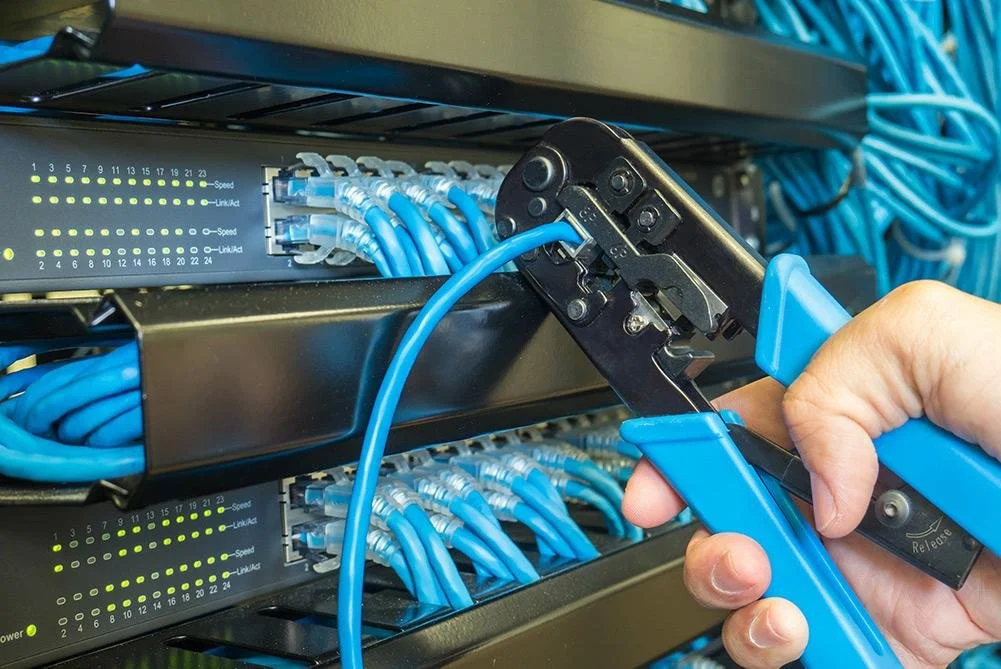
A well-planned network cabling installation is one of the smartest investments a business can make. It speeds up daily work, reduces downtime, supports your cameras and access control, and gives you room to grow without rewiring.
Red Alarm designs and installs structured cabling for offices, retail stores, restaurants, warehouses, and multi-building properties across the Coastal Bend. Explore our Network Cabling services to see what we offer, or learn more about our Business Network Cabling services Corpus Christi, TX.
Ready to upgrade your network? Call Red Alarm at (361) 906-8803 for a free on-site network cabling estimate. We are open daily from 8am to 10pm.
About Red Alarm
Red Alarm is a licensed Texas security company (License #B10443401) serving Corpus Christi, Portland, Aransas Pass, Port Aransas, Rockport, Kingsville, Victoria, and surrounding areas. For more than 20 years, our team has installed network cabling, security cameras, alarm systems, access control, and smart technology for homeowners and businesses, with a focus on clean installations and systems built for the Gulf Coast climate.